
The Claude Code Slash Commands I Actually Use
Claude Code ships with dozens of slash commands, but a handful do most of the work. Here are the nine worth memorizing, what each one does, and the two that quietly save you the most time.

When you run Claude Code, you do not have to type long requests every time. You can trigger an action with a shortcut that starts with a slash. Type /, pick a command, and Claude knows exactly what you want.
There are a lot of them. Type / and you will see the full list scroll by. But most of that list you will never touch. A small set does the real work, day in and day out. Here are the nine I reach for, whether I am running Claude Code in the desktop app or inside VS Code through the CLI.
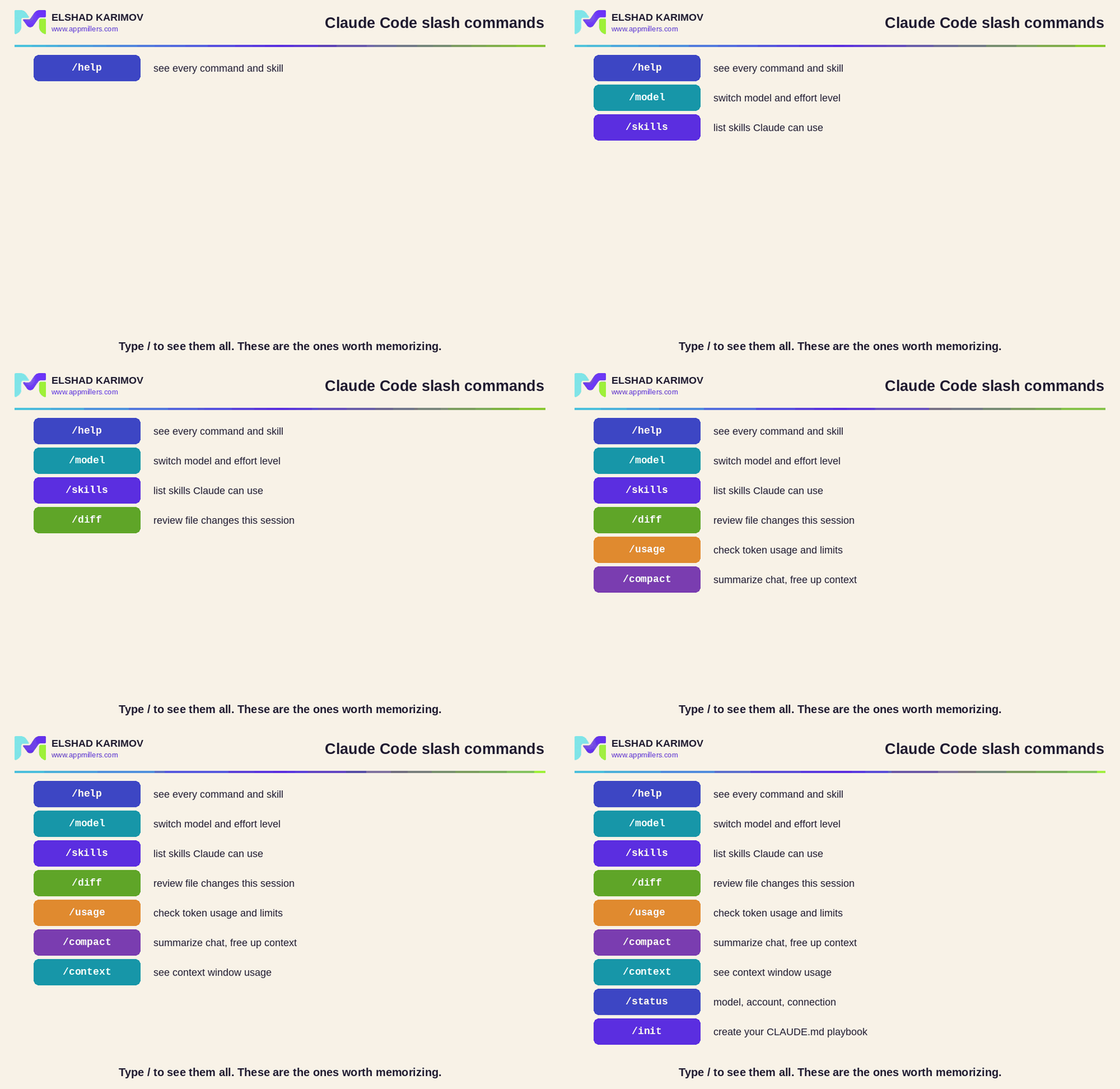
Type / to see them all. These are the keepers.”
You do not memorize Claude Code by reading docs. You memorize nine slash commands and use them until they are muscle memory.
The nine worth knowing
/help shows you every available command and skill. When you forget the exact name of something, start here.
/model switches the model you are running. Reach for a heavier model when the work is hard, a faster, cheaper one when it is routine. In the same menu you can set the effort level too: higher effort for careful reasoning on complex tasks, lower for quick edits.
/skills lists every skill Claude Code currently has access to. If you have installed or built a pile of them like I have, this is how you see what is actually loaded, from your PowerPoint skill to your data visualization skill.
/diff shows you every file change Claude made in this session. Before you trust anything, review the diff. It is the difference between shipping and shipping a mess.
/usage checks your token usage and spending so you can see whether you are near your limits. Worth a glance before a big run.
/compact summarizes your conversation to free up context. More on why this one matters in a second.
/context shows how full your context window currently is. It tells you whether to keep going or pause and compact.
/status gives you a quick read on your account, your current model, and your connection. Your first stop when something feels off.
/init creates your CLAUDE.md file. This is the one that changes how you work, so let me give it its own section.
The two that save you the most
Most of those are conveniences. Two are genuine force multipliers.
/compact, because context is finite
Every model has a context window, and even a large one fills up. When you are deep into building something complicated, you do not want to burn the whole window on old back-and-forth. Run /compact and Claude summarizes the earlier conversation, keeping what matters and reclaiming the space.
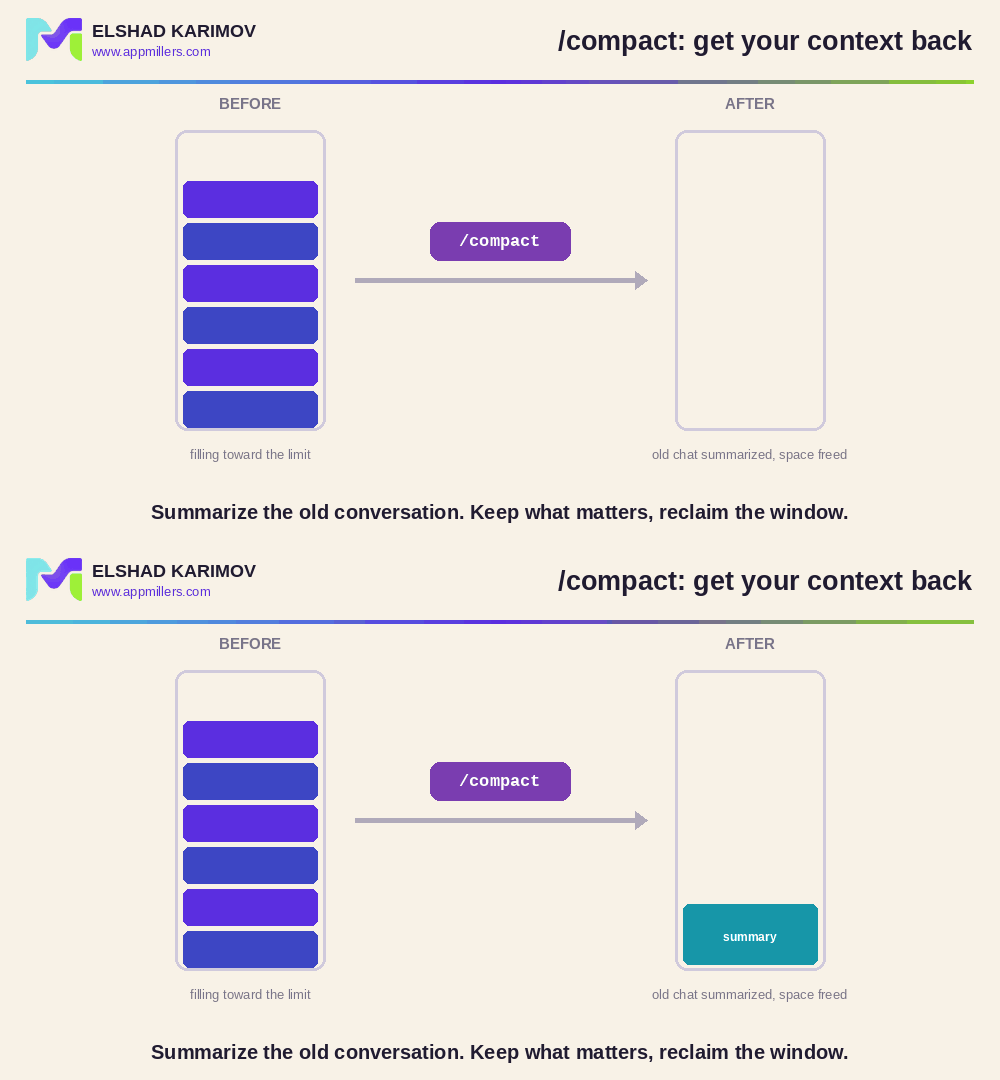
Summarize the old chat. Reclaim the window.”
The result is that Claude still remembers what you discussed earlier, but you are no longer paying for every word of it. On a long session, this is the difference between Claude staying sharp and Claude running out of room halfway through.
/init, because you should never re-explain yourself
This is my favorite. Picture finishing a session today and coming back in a few days. You do not want to re-explain who you are, what you are building, and how you like to work. So you do not.
Run /init and Claude creates a CLAUDE.md file: a plain markdown playbook that sits in your project. Next time Claude starts up, it reads that file and loads it as context. It already knows you were building, say, a fitness training app, what was done so far, and how you want things handled.
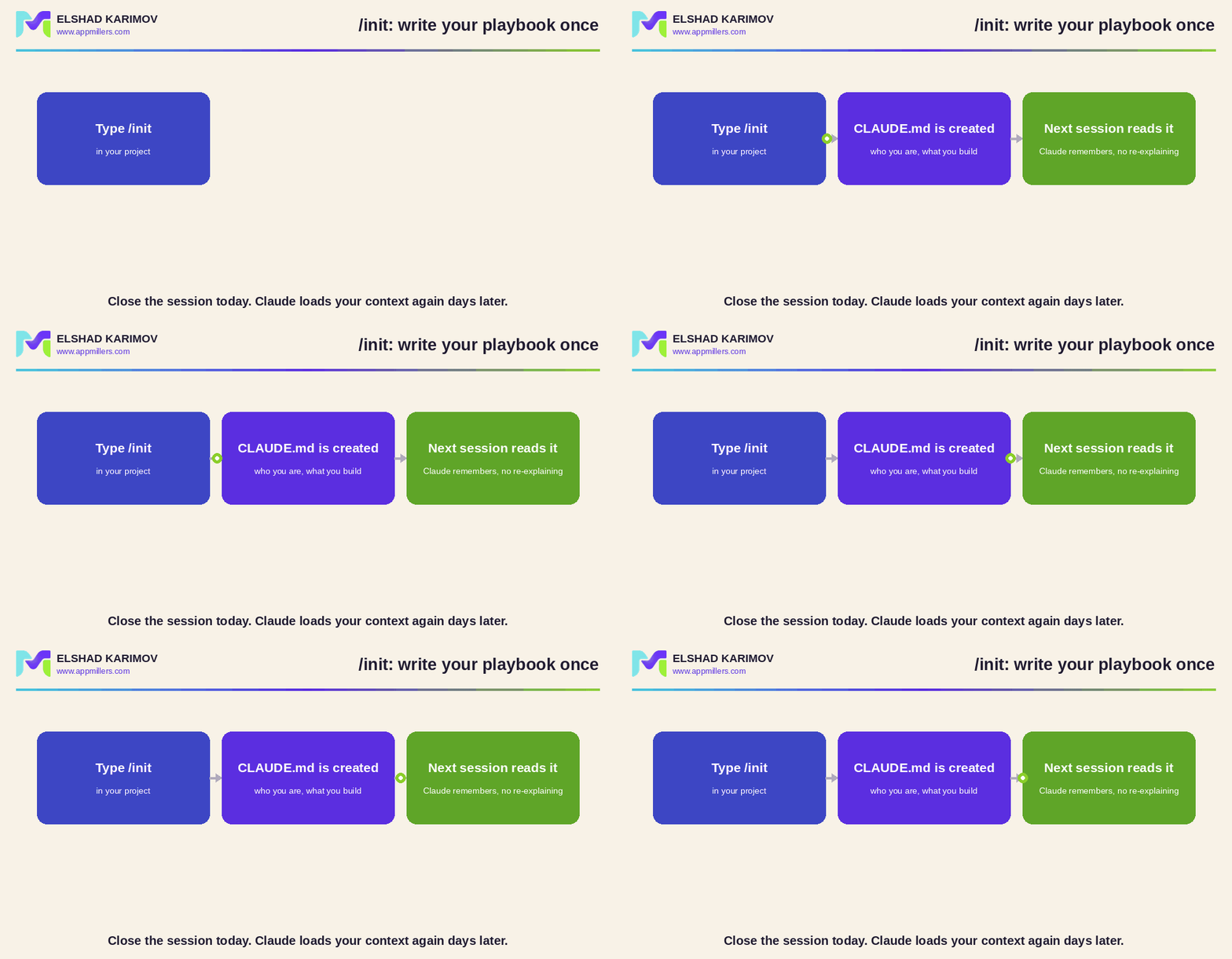
Write your playbook once. Claude loads it every session.”
CLAUDE.md is one of the highest-leverage files in your whole setup, and what you put in it matters enormously. That is a topic worth its own deep dive. For now, just know that /init is how you create it, and that a good one is the difference between an assistant that knows your project and one that starts from zero every single time.
Your move
Open Claude Code, type /, and actually read the list once. Then put these nine into rotation this week. The two to build a habit around first are /compact when a session gets long and /init at the start of any project you will return to.
Which slash command do you lean on most, and which one did you not know existed? Tell me in the comments.